How to Use Cloud Storage: A Complete Beginner’s Guide
Cloud storage is a service that enables users to save data on remote servers managed by a cloud provider instead of storing everything on a local device such as a computer, smartphone, or external hard drive. Popular cloud storage platforms include Google Drive, Dropbox, OneDrive, and iCloud.
The main advantage of cloud storage is that your files remain accessible from anywhere while also being protected against device failure, theft, or accidental deletion.
Benefits of Using Cloud Storage
Before learning how to use cloud storage, it is important to understand its key benefits:
- Access files from any device with an internet connection.
- Automatically back up important data.
- Share files and folders easily with others.
- Save storage space on your devices.
- Improve collaboration on projects and documents.
- Enhance data security through encryption and backup systems.
Step 1: Choose a Cloud Storage Provider
The first step is selecting a cloud storage service that meets your needs. Consider factors such as storage capacity, pricing, security features, and ease of use.
Some popular options include:
- Google Drive – Ideal for Google Workspace users.
- OneDrive – Best for Microsoft Office integration.
- Dropbox – Known for simple file sharing and collaboration.
- iCloud – Designed for Apple users.
Most providers offer free storage plans with the option to upgrade for additional space.
Step 2: Create an Account
Once you have chosen a provider, visit its website or download its mobile application. Sign up using your email address and create a secure password. For enhanced security, enable two-factor authentication (2FA) whenever possible.
Step 3: Upload Your Files
After setting up your account, you can begin uploading files.
To upload files:
- Log in to your cloud storage account.
- Click the “Upload” button.
- Select files or folders from your device.
- Wait for the upload process to complete.
Your files will then be stored securely in the cloud and accessible whenever needed.
Step 4: Organize Your Data
Keeping files organized makes them easier to find later. Create folders for different categories such as:
- Personal Documents
- Work Files
- School Projects
- Photos and Videos
- Financial Records
Using a clear folder structure can save time and improve productivity.
Step 5: Access Files Anywhere
One of the greatest advantages of cloud storage is accessibility. Simply sign in to your account on a computer, tablet, or smartphone to view, edit, or download your files.
Many cloud services also offer desktop synchronization, automatically updating files across all connected devices.
Step 6: Share Files Securely
Cloud storage makes sharing simple. Instead of sending large email attachments, you can generate a shareable link.
When sharing files:
- Set appropriate permissions (view, comment, or edit).
- Share only with trusted individuals.
- Use password protection if available.
- Disable sharing when it is no longer necessary.
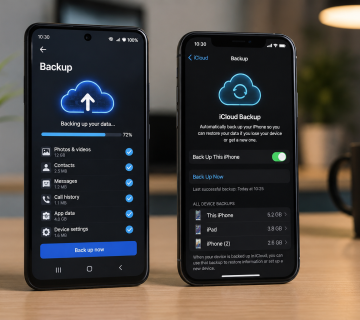
Step 7: Enable Automatic Backups
Most cloud storage services offer automatic backup options. Enable this feature to ensure your photos, videos, and documents are regularly backed up without manual effort.
Automatic backups reduce the risk of data loss caused by hardware failures, accidental deletions, or malware attacks.
Best Practices for Cloud Storage Security
To keep your data safe:
- Use strong, unique passwords.
- Enable two-factor authentication.
- Regularly review shared file permissions.
- Avoid uploading sensitive information to unsecured accounts.
- Keep your devices updated with the latest security patches.
In Summary
Cloud storage has revolutionized the way people store, access, and share data. Whether you are a student, professional, business owner, or casual user, cloud storage provides a secure and convenient solution for managing digital files. By choosing the right provider, organizing your data effectively, and following security best practices, you can take full advantage of cloud storage and ensure your important information remains protected and accessible whenever you need it.
Want to Learn More? Explore our detailed articles on the topics covered in this guide. Click the highlighted links to dive deeper or visit our blog for additional guides, tips, and helpful resources. Stay informed and continue building your knowledge.
You can rely on www.askmyquestions.com for trusted guidance and assistance.