How to Recover Deleted Files: A Practical Guide
Losing important files can be frustrating, especially when they are no longer available in the Recycle Bin or Trash. Fortunately, deleted files can sometimes be recovered using built-in recovery options or reputable data recovery software. In this guide, we’ll explore practical methods you can use to recover deleted files safely and effectively.
Check the Recycle Bin or Trash First
The first place to check is the Recycle Bin on Windows or the Trash on other operating systems.
When a file is deleted normally, the operating system may move it to a temporary location instead of immediately removing it.
On Windows:
- Open the Recycle Bin.
- Look for the deleted file.
- Right-click the file.
- Select Restore.
The file should return to its original location.
If you cannot find the file, continue with other recovery methods.
Check Cloud Storage Services
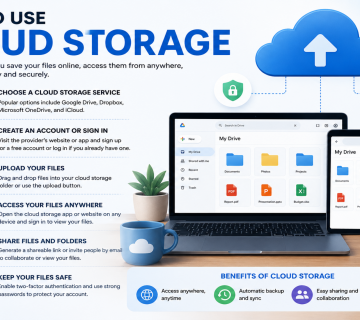
If your files are synchronized with a cloud storage service, you may be able to recover a deleted version.
Many cloud storage platforms include a recycle bin or deleted files section.
You should check the service you use and look for:
- Recently deleted files
- Trash
- Recycle bin
- Version history
Version history can also be useful if a file was changed or overwritten rather than deleted.
Restore From a Backup
Regular backups provide one of the safest methods for recovering lost files.
Depending on your system, backups may exist on:
- An external hard drive
- Another computer
- A network storage device
- Cloud backup storage
- A system backup tool
If you have a recent backup, locate the version of the file you need and restore it carefully.
Before replacing an existing file, consider creating another copy to avoid accidentally overwriting newer information.
Stop Using the Storage Device
If a file has been permanently deleted, it is important to avoid writing unnecessary data to the same drive.
On many storage systems, deleting a file may remove its reference from the file system before the underlying storage space is reused.
If new files are written to that space, recovery can become more difficult or impossible.
Therefore, avoid installing large programs, downloading files, or copying unnecessary data to the affected drive until you have attempted recovery.
Recovering Files From External Drives
USB flash drives, memory cards, and external hard drives can also experience accidental deletion.
Connect the device carefully and avoid saving new files to it.
You can first check whether the files are hidden, moved, or available in a backup. If necessary, use a reputable recovery tool.
If the device is physically damaged or contains extremely important data, professional data recovery services may be a better option.
Recovering Deleted Files From a Phone
Mobile devices may have folders such as:
- Recently Deleted
- Trash
- Recycle Bin
The exact location depends on the device and application.
For example, a photo deleted from a gallery application may remain in a recently deleted folder for a limited period.
Cloud synchronization can also provide another recovery option if photos or documents were previously backed up.
Use File Recovery Software Carefully
Data recovery software can scan a storage device for deleted files or recoverable data.
The results may depend on several factors, including:
- The type of storage device
- How the file was deleted
- Whether the storage space has been overwritten
- Whether the drive is damaged
- The file system being used
Here’s a list of reputable data recovery software. These tools work by scanning the specific drive or storage device where the files were deleted. After installing the recovery software, select the affected drive and run a scan to search for recoverable files.
- Recuva — Simple option for recovering accidentally deleted files on Windows.
- Disk Drill — User-friendly recovery software for Windows and macOS.
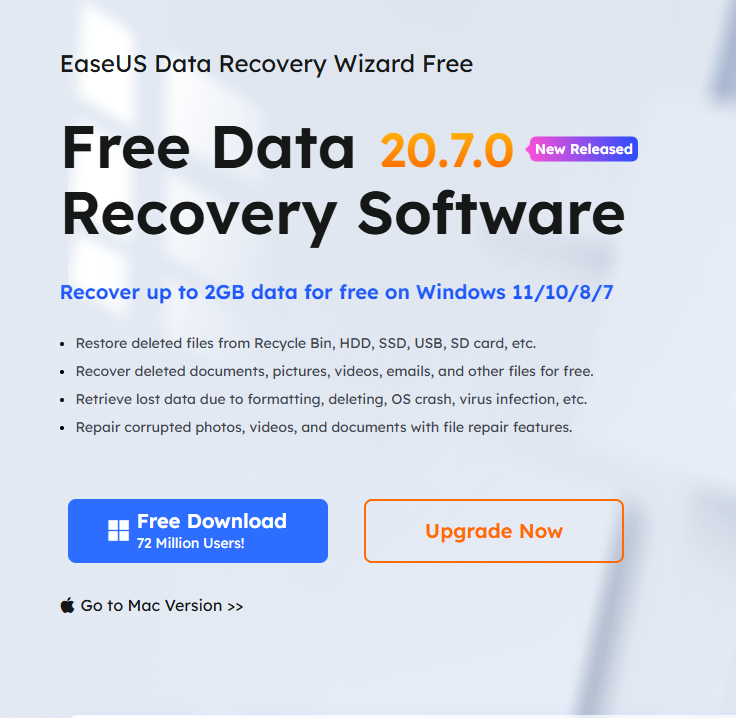
- EaseUS Data Recovery Wizard — Supports recovery from hard drives, SSDs, USB drives, and memory cards.
- R-Studio — More advanced option with extensive recovery features.
- Stellar Data Recovery — Available for Windows and macOS, with support for various storage devices.
- PhotoRec — Free, open-source tool that can recover many types of files.
- TestDisk — Free, open-source utility focused on partition and file-system recovery.
- DMDE — Advanced recovery and disk-management software with a free edition.
NB: The data recovery software listed above is not arranged in any particular order of importance, ranking, or preference.
How to Prevent File Loss
The best recovery strategy is prevention.
Important habits include:
* Create Regular Backups
Keep copies of important files in more than one location.
* Use Cloud Storage
Cloud synchronization can help protect files from device failure, although it should not be your only backup strategy.
* Organize Important Files
Keeping files in clearly named folders can reduce accidental deletion.
* Enable Version History
Where available, version history can help restore earlier copies of documents.
Final Thoughts
Recovering deleted files is often possible, but success is not guaranteed. Your first step should be checking the Recycle Bin, Trash, cloud storage, and available backups.
If those options do not work, stop using the affected storage device and consider a reputable recovery method. The sooner you act and the less new data written to the device, the better your chances may be.
Most importantly, regular backups can turn a potential disaster into a simple recovery process.
KEYNOTES
Can permanently deleted files be recovered?
Sometimes. Recovery depends on whether the original data has been overwritten and the type of storage device involved.
Where do deleted files go on Windows?
Normally deleted files may first go to the Recycle Bin.
Can I recover deleted files from a USB drive?
Possibly. Stop writing new data to the USB drive and check available recovery options.
Does formatting a drive delete everything permanently?
Formatting can make files inaccessible, but some data may still be recoverable depending on the type of format and subsequent use.
What is the best way to prevent file loss?
Maintain regular backups and keep copies of important data in more than one location.
What Is the Best Way to Recover Deleted Files Not Found in the Trash or Recycle Bin?
If deleted files are no longer available in the Trash or Recycle Bin, you can use reputable data recovery tools, such as the ones listed above, to scan your storage device and recover the deleted files.
Interested in Learning more? Explore our in-depth guides by clicking the highlighted links throughout this article, or browse our blog for additional tutorials, tips, and resources. You’ll find practical information to help you expand your knowledge and stay informed.