How Does VPN Split Tunneling Work?
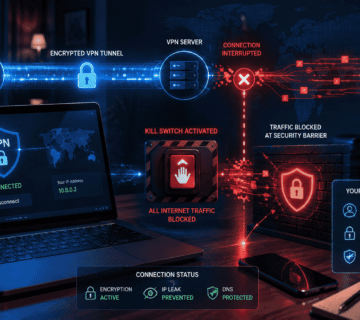
Normally, when you connect to a VPN, your device sends its internet traffic through the VPN tunnel. The VPN server then forwards the traffic to its destination. This can provide an additional layer of privacy and security, particularly when using untrusted networks such as public Wi-Fi.
With split tunneling enabled, only selected traffic travels through the VPN. Other traffic uses your normal internet connection.
For example, imagine you are working from home and need to connect to your company’s private network through a VPN. You could configure split tunneling so that company-related applications use the VPN while ordinary activities such as browsing a public website use your regular connection.
This arrangement can reduce unnecessary VPN traffic and allow different applications to use different network routes.
Why Use Split Tunneling?
One major reason to use split tunneling is performance. A VPN can sometimes increase latency because traffic has to travel through an additional server. When only important traffic uses the VPN, other activities may continue through the faster direct connection.
Split tunneling can also be useful when accessing local network devices. For example, you might need a VPN to access a workplace system while still wanting to connect directly to a printer, smart device, or other equipment on your home network.
Another advantage is reduced VPN bandwidth usage. If large amounts of ordinary traffic do not need VPN protection, sending them outside the VPN tunnel can reduce the amount of data handled by the VPN connection.
Types of VPN Split Tunneling
Different VPN applications may provide different split-tunneling options.
App-Based Split Tunneling
App-based split tunneling allows you to choose which applications use the VPN.
For example, you might configure a browser or work application to use the VPN while allowing another application to connect directly to the internet.
Website or Domain-Based Split Tunneling
Some VPN services allow specific websites or domains to be included or excluded from the VPN tunnel.
This can be useful when only certain online services need the VPN connection.
Inverse Split Tunneling
Inverse split tunneling, sometimes called exclusion-based split tunneling, works in the opposite way. Instead of selecting the applications that should use the VPN, you select the applications that should bypass it.
For example, you could make the VPN the default connection for most applications while excluding a particular application that performs better with a direct connection.
Benefits of Split Tunneling
Split tunneling offers several practical benefits.
Better performance: Applications that do not need VPN protection can use the direct internet connection.
Lower latency: Gaming, video calls, and other latency-sensitive activities may benefit from avoiding unnecessary VPN routing.
Local network access: You may be able to access local printers, storage devices, and other network resources while connected to a VPN.
Efficient bandwidth usage: Only selected traffic is routed through the VPN server.
Greater flexibility: You can decide how different applications communicate with the internet.
Risks and Disadvantages
Although split tunneling is useful, it can reduce the protection provided by a VPN.
Traffic that bypasses the VPN is not protected by the VPN’s encrypted tunnel. If you accidentally configure a sensitive application to bypass the VPN, its traffic may use your ordinary internet connection.
There can also be configuration mistakes. A user may forget which applications are included or excluded from the VPN, potentially exposing traffic that they intended to protect.
For this reason, split tunneling should be configured carefully. If privacy or security is the main reason for using a VPN, routing sensitive traffic through the VPN may be preferable.
Is Split Tunneling Safe?
Split tunneling can be safe when properly configured. However, it is important to understand that it does not provide VPN protection to traffic that bypasses the tunnel.
Before enabling it, identify which applications actually need VPN protection. Work systems, sensitive websites, or other private services may need to remain inside the VPN connection.
You should also review your VPN application’s split-tunneling rules periodically, especially after installing new applications or changing network settings.
When Should You Use Split Tunneling?
Split tunneling can be particularly useful for remote workers, students, gamers, and people who need simultaneous access to private and public networks.
A remote worker may use it to connect to company resources through a VPN while using a direct connection for ordinary web browsing.
A gamer may use it to route work-related traffic through the VPN while allowing a game to use the direct connection to reduce latency.
The right configuration depends on your specific needs.
Final Thoughts
VPN split tunneling provides greater control over how your internet traffic travels. Instead of sending everything through a VPN, you can determine which applications or services should use the encrypted tunnel and which should connect directly.
The feature can improve performance, reduce unnecessary VPN traffic, and make it easier to use local network resources. However, traffic outside the VPN does not receive the VPN’s protection.
For beginners, the most important rule is simple: know what traffic is protected and what traffic is not. With careful configuration, split tunneling can be a useful feature for balancing privacy, performance, and convenience.
FAQ
What is VPN split tunneling?
VPN split tunneling allows some internet traffic to use the VPN while other traffic connects directly to the internet.
Does split tunneling make a VPN faster?
It can improve performance for traffic that bypasses the VPN because that traffic does not need to travel through the VPN server.
Is split tunneling secure?
It can be secure when configured correctly, but traffic that bypasses the VPN does not receive protection from the VPN tunnel.
Can I choose which apps use my VPN?
Many VPN applications support app-based split tunneling, allowing you to select applications that should use or bypass the VPN.
Should I use split tunneling?
It can be useful if you need VPN access for specific applications while maintaining direct internet access for other activities.