How to Protect Your Privacy Online
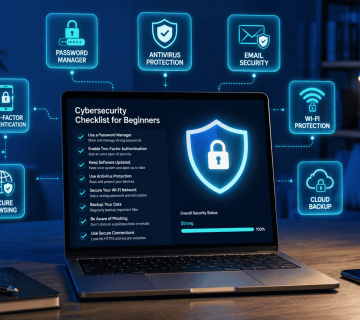
In our increasingly connected world, safeguarding your online privacy is essential. To do this, create strong passwords, activate two-factor authentication, and be careful about sharing personal details. Using a VPN can also help, along with routinely checking your privacy settings on social media and other sites.
As our lives become more connected to the internet, it is vital to take measures to protect your personal information. Whether engaging in online shopping, socializing, or browsing, there are effective strategies to enhance your privacy. This guide offers practical advice to help you secure your online presence.
1. Use Strong Passwords
Your password is often the first line of defense against unauthorized access to your accounts. Here’s how to create strong passwords:
- Combine uppercase letters, lowercase letters, numbers, and symbols.
- Aim for at least 12 characters.
- Avoid easily guessable information like birthdays or names.
- Consider using a password manager to generate and store complex passwords securely.
2. Enable Two-Factor Authentication (2FA)
Two-factor authentication adds an extra layer of security by requiring not just a password but also a second form of verification:
- This could be a text message code or an authentication app.
- Enable 2FA on all accounts that offer it—especially email and banking sites.
3. Be Cautious with Personal Information
Think twice before sharing personal details online:
- Limit what you share on social media profiles; consider setting them to private.
- Avoid oversharing in public forums or comment sections.
- Be wary of quizzes or games that ask for personal data.
4. Use a Virtual Private Network (VPN)
A VPN encrypts your internet connection, making it harder for third parties to track your online activities:
- Choose a reputable VPN service that does not log user activity.
- Always connect through the VPN when using public Wi-Fi networks.
5. Regularly Review Privacy Settings
Social media platforms often change their privacy policies and settings:
- Regularly check and update the privacy settings on platforms like Facebook, Instagram, and Twitter.
- Turn off location tracking features unless absolutely necessary.
6. Browse Safely
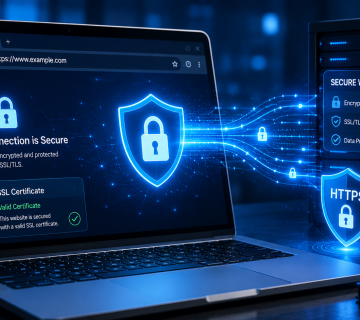
Your browsing habits can expose you to risks if you’re not careful. When it comes to protecting your personal information online, the browser you use matters. Choosing a well-established browser with a strong reputation for privacy and security can help reduce risks and provide a safer browsing experience.
It’s also a good idea to avoid new, little-known, or prototype browsers. While they may offer interesting features, they often haven’t been tested as extensively as established browsers and may not yet provide the same level of security, reliability, or privacy protection.
Sticking with a trusted browser is a simple step that can help keep your online activities more secure.
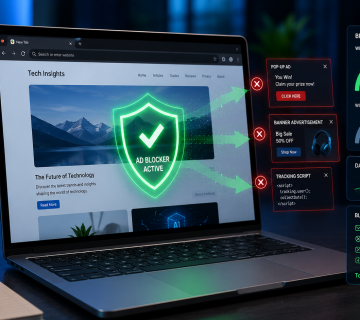
Install ad blockers and anti-tracking extensions to reduce data collection by advertisers. What are Ad Blockers?
7. Stay Informed About Data Breaches
Data breaches can compromise even the most secure accounts:
- Sign up for alerts from services like AskMyQuestions.com to receive updates and tips on staying safe online.
8. Educate Yourself About Phishing Scams
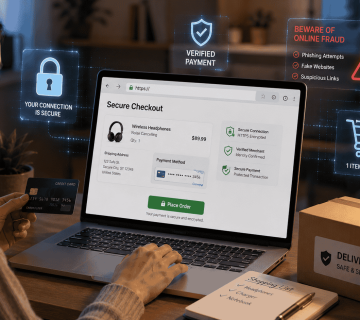
Phishing scams are designed to trick you into revealing sensitive information:
- Always verify the sender’s email address before clicking links or downloading attachments.
- Look out for signs of phishing such as poor grammar or urgent requests for personal data.
By consistently following these guidelines, you can strengthen your online privacy and reduce the risk of potential threats.
Want to Learn More? Explore our detailed articles on the topics covered in this guide. Click the highlighted links to learn more or visit our blog for additional guides, tips, and resources. Stay informed and continue improving your online safety.