What Does “Mesh” Mean?
A mesh is a structure in which multiple points, devices, or nodes are connected to one another.
Think of a fishing net. Instead of having one long piece connecting everything, the net contains many connected sections. If one part is connected to another, information or structure can move across different paths.
A technological mesh works according to a similar principle.
In a mesh network, multiple network devices called nodes communicate with one another. Depending on the type of mesh network, these nodes can communicate through wireless connections, wired connections, or both.
The result is a network that can provide multiple communication paths rather than depending entirely on one central connection.
What Is a Mesh Network?
A mesh network is a network in which multiple nodes work together to provide connectivity.
Each node can communicate with other nodes within the network. Depending on the design, information can travel through different nodes to reach its destination.
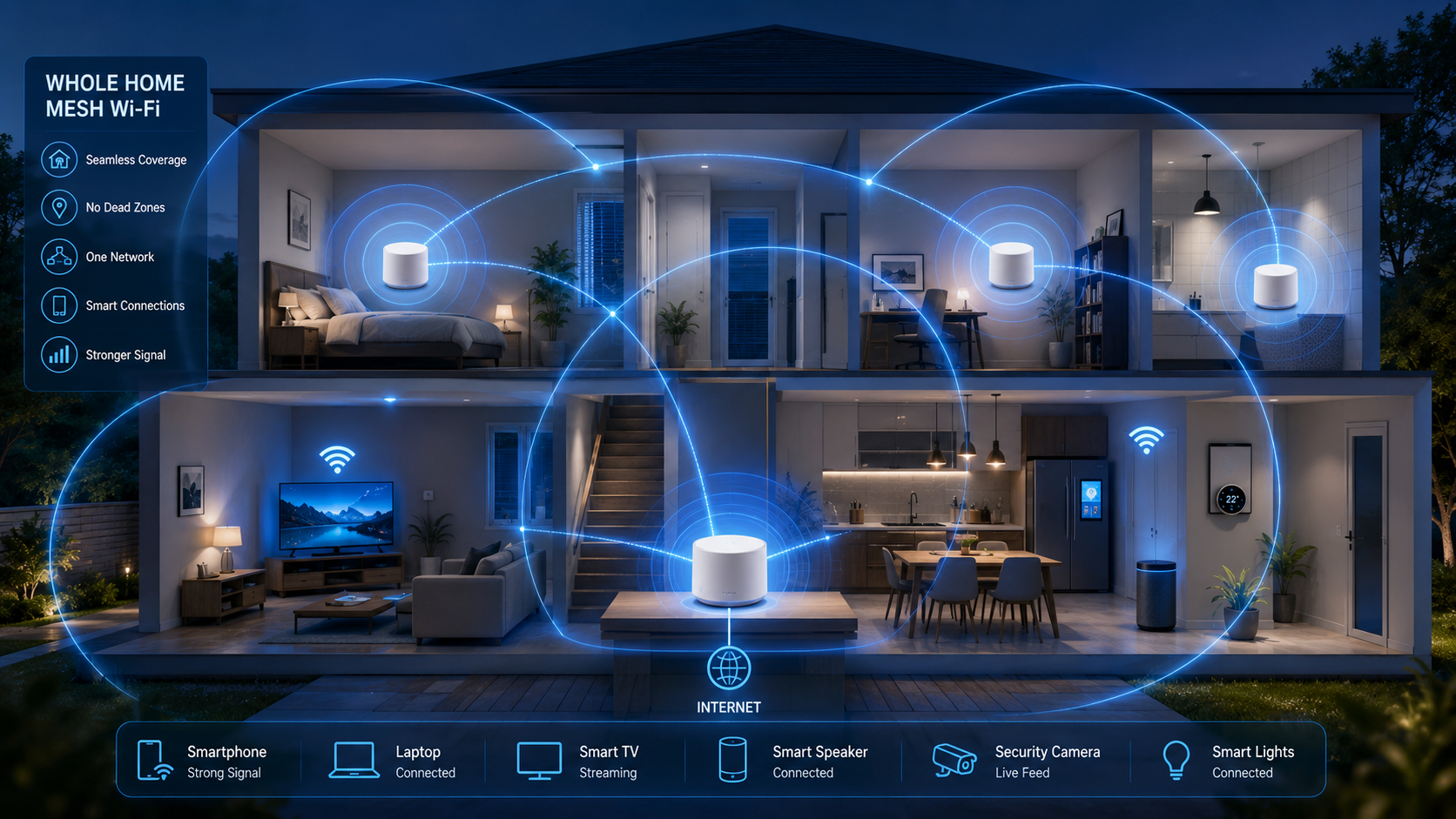
For example, imagine a large house with a router located in one corner. A device in another room may have a weak Wi-Fi signal.
Instead of relying entirely on the original router, a mesh Wi-Fi system can use additional nodes placed around the house. These nodes communicate with one another and extend network coverage.
This approach can be especially useful in larger homes, offices, buildings with multiple floors, or environments where walls and other obstacles interfere with wireless signals.
What Is Mesh Wi-Fi?
Mesh Wi-Fi is one of the most common examples of mesh technology that consumers encounter.
A mesh Wi-Fi system typically consists of:
- A main router or primary node
- One or more additional nodes
- Connected devices such as smartphones, laptops, televisions, and smart home equipment
The nodes work together to provide wireless coverage across a larger area.
Unlike simply placing several unrelated wireless routers around a building, a properly designed mesh system is intended to operate as one coordinated network.
Depending on the system, users can typically move around the property while their devices automatically connect through the most appropriate mesh node.
How Does a Mesh Wi-Fi System Work?
A mesh Wi-Fi system begins with a primary node connected to your internet connection.
Additional nodes are then positioned in different areas of the building.
For example:
Internet → Main Mesh Node → Secondary Node → Devices
The secondary node communicates with the main node or another suitable node. Your smartphone or laptop can then connect to the mesh system from different parts of the building.
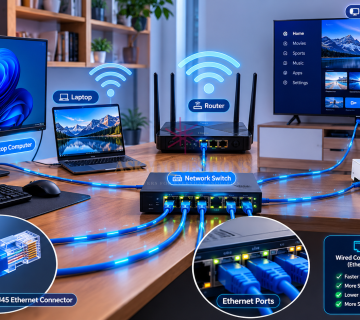
Some systems use wireless communication between nodes, while others can use Ethernet cables for wired connections.
The quality of a mesh network depends heavily on how the nodes are positioned and how they communicate with one another.
If a secondary node is placed too far away from the main node, it may receive a weak connection and provide poor performance to connected devices.
What Is Mesh Topology?
In computer networking, mesh topology describes a network arrangement where devices or nodes are interconnected.
There are two major forms:
Full Mesh
In a full mesh topology, each node has a direct connection to every other node.
This can provide high redundancy because there are multiple possible communication paths.
However, as the number of nodes increases, the number of connections can become difficult and expensive to manage.
Partial Mesh
In a partial mesh, only some nodes have direct connections to multiple other nodes.
This approach can provide redundancy while requiring fewer connections than a full mesh.
Partial mesh designs are commonly more practical for larger networks.
Mesh vs Traditional Wi-Fi Router
A traditional home Wi-Fi setup commonly uses one router as the main wireless access point.
This can work well in a small apartment or home where the router is positioned centrally.
However, larger properties may experience weak coverage because wireless signals lose strength with distance and can be affected by walls, floors, furniture, and other obstacles.
A mesh Wi-Fi system uses multiple nodes to distribute wireless coverage.
Traditional Router
- Usually uses one primary wireless device.
- Can be inexpensive.
- Works well for smaller areas.
- May have weak coverage in distant rooms.
Mesh Wi-Fi
- Uses multiple interconnected nodes.
- Can provide broader coverage.
- Designed to operate as one coordinated network.
- Usually costs more than a basic router.
- Requires careful node placement.
Mesh does not automatically mean faster internet. The main advantage is often better coverage and more consistent connectivity rather than simply increasing the speed provided by your internet service provider.
Benefits of Mesh Networks
Better Coverage
Multiple nodes can help eliminate weak Wi-Fi areas in larger buildings.
Improved Connectivity
Devices can connect through different nodes, potentially providing a more reliable connection as users move around.
Scalability
Many mesh systems allow users to add additional nodes when more coverage is required.
Seamless Roaming
A well-designed mesh Wi-Fi system can allow devices to move between coverage areas without requiring the user to manually select another network.
Centralized Management
Many modern mesh systems provide a mobile application or web interface for managing network settings, connected devices, parental controls, guest networks, and security features.
Limitations of Mesh Systems
Mesh networks also have disadvantages.
Higher Cost
A mesh system generally costs more than a basic wireless router because it includes multiple networking devices.
Wireless Backhaul Can Reduce Performance
If mesh nodes communicate wirelessly with one another, some wireless capacity may be used for communication between the nodes.
Systems with a dedicated wireless backhaul or wired Ethernet backhaul can help address this limitation.
Placement Matters
Adding more nodes does not necessarily improve performance.
If nodes are positioned poorly, they may communicate with weak signals and provide disappointing results.
More Equipment
A mesh system requires multiple devices that need to be configured, powered, and maintained.
What Is a Mesh Backhaul?
The backhaul is the connection used by mesh nodes to communicate with the main network.
A mesh system may use:
- Wireless backhaul
- Ethernet backhaul
- A combination of both
An Ethernet backhaul uses physical network cables to connect mesh nodes.
This can provide a strong and stable connection between nodes and can reduce the amount of wireless capacity used for communication between them.
For homes with Ethernet cabling already installed, wired backhaul can be an excellent option.
Where Are Mesh Networks Used?
Mesh technology is not limited to home Wi-Fi.
Mesh networks can be used in:
- Businesses
- Schools
- Hospitals
- Smart homes
- Industrial environments
- Public wireless networks
- Wireless sensor networks
- Internet of Things (IoT) systems
- Large buildings and campuses
The specific technology and architecture depend on the requirements of the environment.
Is Mesh Wi-Fi Right for You?
A mesh system can be useful if you experience:
- Wi-Fi dead zones
- Weak signals in distant rooms
- Poor connectivity across multiple floors
- Problems maintaining a connection while moving around a building
- A need to connect many smart devices
However, if you live in a small apartment and your existing router provides strong coverage everywhere, purchasing a mesh system may not be necessary.
Before buying one, consider the size and layout of your home, internet speed, number of connected devices, building materials, and whether Ethernet cabling is available.
Final Thoughts
A mesh is essentially a network or structure made up of interconnected elements that work together. In networking, mesh technology can provide multiple communication paths and broader connectivity.
Mesh Wi-Fi is particularly useful for larger homes and buildings where a single router cannot provide reliable coverage everywhere. By using multiple interconnected nodes, a mesh system can help reduce dead zones and provide a more consistent wireless experience.
However, mesh systems are not a universal solution. They can cost more than traditional routers, and their performance depends on proper placement and the way the nodes communicate.
Understanding concepts such as mesh networks, mesh topology, nodes, and backhaul connections gives you a stronger foundation for understanding modern networking technology.
KEYNOTES
1. What is a mesh in networking?
A mesh is a network structure in which multiple nodes are interconnected and communicate with one another.
2. What is mesh Wi-Fi?
Mesh Wi-Fi is a wireless networking system that uses multiple interconnected nodes to provide broader and more consistent Wi-Fi coverage.
3. Is mesh Wi-Fi better than a normal router?
It depends on your needs. Mesh Wi-Fi can provide better coverage in larger or multi-floor buildings, while a traditional router may be sufficient for smaller homes.
4. Does mesh Wi-Fi increase internet speed?
Not necessarily. Mesh Wi-Fi primarily improves coverage and connectivity. Your maximum internet speed is still influenced by your internet service plan and network conditions.
5. How many mesh nodes do I need?
The number depends on the size, layout, construction, and connectivity requirements of your property. Adding too many nodes can sometimes be unnecessary.
6. Can mesh Wi-Fi work with Ethernet cables?
Yes. Many mesh systems support Ethernet backhaul, allowing nodes to communicate through wired network connections.
7. What is the difference between full mesh and partial mesh?
A full mesh connects every node directly to every other node, while a partial mesh connects only selected nodes to multiple other nodes.
8. Can I use mesh Wi-Fi in a large house?
Yes. Mesh Wi-Fi is particularly useful for large homes, multi-floor buildings, and properties where a single router struggles to provide adequate coverage.
Interested in Learning More? Explore our in-depth guides by clicking the highlighted links throughout this article, or browse our blog for additional tutorials, tips, and resources. You’ll find practical information to help you expand your knowledge and stay informed. VISIT WWW.ASKMYQUESTIONS.COM