How Do I Back Up My Phone?
Smartphones have become an essential part of everyday life. They store our photos, videos, contacts, messages, documents, passwords, and countless other pieces of personal information. Without a recent backup, losing your phone could mean losing years of valuable memories and important data.
Fortunately, backing up your phone is easier than many people realize. Whether you use an Android device or an iPhone, there are several reliable ways to create backups and restore your information if something goes wrong.
Why Backing Up Your Phone Is Important
A backup is a copy of your phone’s data stored in another location, such as cloud storage or a computer. If your device is lost, stolen, damaged, or reset to factory settings, a backup allows you to recover much of your information quickly.
– *Backing Up an iPhone
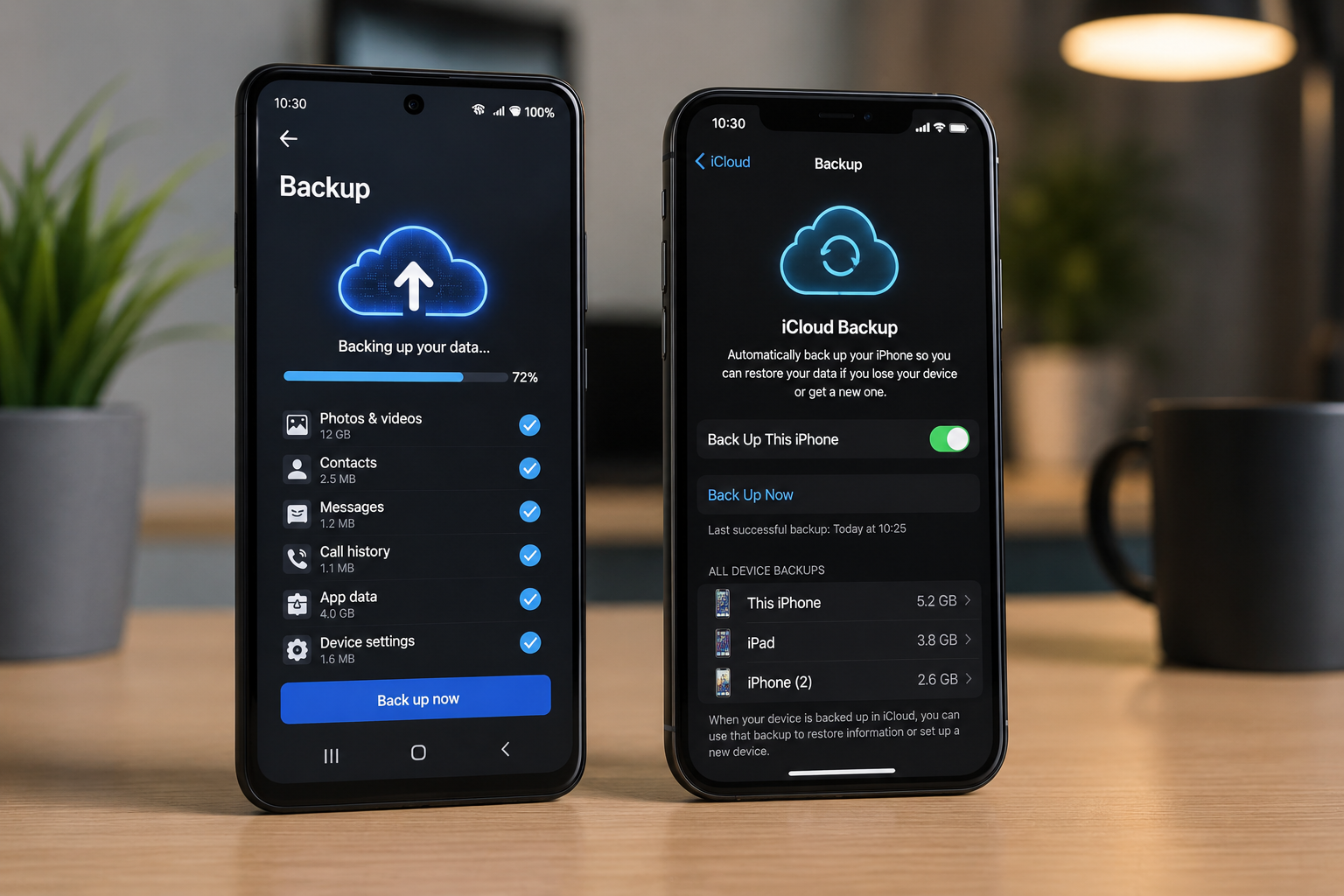
Apple provides built-in cloud backups through iCloud. When enabled, iCloud can automatically save
How To Enable iCloud Backup:
- Open Settings.
- Tap your Apple ID at the top.
- Select iCloud.
- Tap iCloud Backup.
- Turn on Back Up This iPhone.
- Tap Back Up Now for an immediate backup.
Automatic backups typically occur when the iPhone is connected to Wi-Fi, charging, and locked.
Using a Computer:
- Connect your iPhone to your Mac or Windows computer using a USB cable.
- On a Mac, open Finder. On Windows, open the Apple Devices app.
- Select your iPhone.
- Choose the option to back up your iPhone to the computer.
- Select Back Up Now.
- Wait for the backup to finish before disconnecting your iPhone.
KEYNOTES:
1. How often should I back up my phone?
Automatic cloud backups are recommended. If you back up manually, do so before major updates, device replacements, or after adding important files.
2. Does backing up my phone include photos?
Yes, if photo backup is enabled. Check your cloud backup settings to confirm that photos and videos are included.
3. Can I back up my phone without cloud storage?
Yes. Both Android phones and iPhones can be backed up to a computer using a USB cable and compatible software.
4. Is cloud backup safe?
Cloud backups are generally secure when protected with a strong password and two-factor authentication. Keeping your account secure is essential.
5. What happens if I don’t back up my phone?
If your phone is lost, stolen, damaged, or reset, you may permanently lose your photos, contacts, messages, and other important data if no backup exists.
Want to Learn More? Explore our detailed articles on the topics covered in this guide. Click the highlighted links to dive deeper or visit our blog for additional guides, tips, and helpful resources. Stay informed and continue building your knowledge.
You can rely on www.askmyquestions.com for trusted guidance and assistance.